Be in the meeting.
Tadink takes notes.
Tadink records from your Mac, so no bot joins the call. You get who said what, a summary you can edit, and an answer to “wait, what did we decide?”
Any call on your Mac
Zoom, Teams, Meet, Phone, or whatever you use
On every plan
Recording, transcripts and who said what
Any call on your Mac.
And the meeting in the room.
Zoom, Teams, Meet or a phone call: Tadink notices it and offers to record. Something else? Start the meeting from the menu bar, and it records whatever your Mac plays.
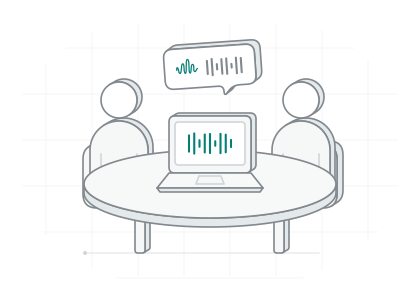
In the room
No call needed. Start the meeting yourself, and everyone at the table gets their own speaker.
Say “Tadink, remember that.”
The summary remembers.
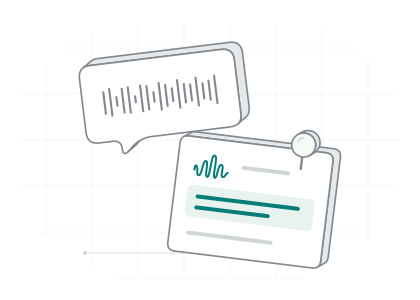
Anyone on the call can talk to Tadink. When the summary is written, it does what you asked.
AI+Summaries, Ask and talking to Tadink run with Tadink Local AI, or Tadink Cloud on Pro.
Dana · 14:02
The launch is May 12, that’s final. Tadink, remember that.
Dana asked Tadink to remember. It’s in the summary now, under its topic.
LaunchMe · 14:04
Tadink, remind me to send Marco the slides.
A to-do, filed under whoever has to do it. Here, that’s you.
My follow-upsBen · 14:06
Did anyone see that penalty last night? Unbelievable. Tadink, leave this out.
Left out, and the summary says so. Ben can talk about the match in the group chat.
Left outMe · 14:12
Tadink, recap the last few minutes.
A recap of exactly the minutes you asked for.
Recap
Launch plan sync
Launch
- The launch is on May 12, and it’s final. Dana asked to remember it.
- The beta closes the week before.
Press
- The press kit goes out on launch day.
Recap, 14:07 to 14:12
- May 12 holds, Dana owns the press kit, and the slides go to Marco today.
Left out
- 14:06 to 14:07, at Ben’s request
Next Steps
- Dana: Check the press kit
My follow-ups
- Send Marco the slides
From call to summary.
A call starts, you jot down what matters, you press Stop. Tadink does the writing up.
- A call starts, and Tadink offers to record it.
- While it records, you write a note and take a screenshot.
- You press Stop, and Tadink writes the transcript and tells everyone apart.
- The summary is ready, with a to-do to check off.
Everything in Meetings
Before the call, during it and after it: here’s all of it.
Point at a step, or tap it.
Offer to record when a call startsAutomatic
Zoom, Teams, Meet, Phone and more
Record iPhone calls you take on your Mac
Record a call in any other app
Start it from the menu bar. It records whatever your Mac plays
Record the meeting in the room
Everyone at the table gets their own speaker
Keep the transcript, skip the audio
Take a screenshot of the call
⌃⌥SMark this moment
⌃⌥MWrite notes as you meet
Headings, bullets and to-dos, each line at its moment
Talk to TadinkAI+
“Remember that”, “remind me”, “leave this out”
See who said what
Your voice is learned on this Mac. People in the room count too
Name someone once
Tadink knows them in recordings old and new
Edit the summaryAI+
Change any line, check off a to-do
Ask about the meetingAI+
Every answer points to the moment it came from
Tag meetings by rules
A word in the title, or a person you hear
Talk time
Who talked, and how much
Send it to your notes
A folder, Etch or Obsidian, by itself after each meeting
Meetings come with every plan.
Pro brings a bigger brain to the summaries.
Free plan
- Recording and transcripts, every meeting
- Who said what, your voice included
- Notes, screenshots and marks
- Tags and talk time
- Notes sent to a folder, Etch or Obsidian
With Tadink Local AI AI+
- Summaries, Ask, titles and talking to Tadink
Questions, answered bluntly
Where do my meetings live?
On your Mac, on every plan: recordings, transcripts, speakers, summaries and answers. On Tadink Pro, Tadink Cloud writes the summaries and answers.
Does a bot join my call?
No. Tadink records the call from your Mac, your microphone and the call’s sound, so nobody new turns up in the list of people on the call.
How does talking to Tadink work?
While a meeting records, say “Tadink” and what you want: “Tadink, remember the launch is May 12”, “Tadink, remind me to send the slides”, “Tadink, leave this out” or “Tadink, recap the last few minutes”. Anyone on the call can. Nothing pops up to interrupt anyone: when the summary or an answer is written, Tadink puts each fact under its topic, lists each to-do with who does it, and leaves out what you asked.
What does Screenshot capture?
The call’s window, or the screen under your pointer when there’s no call. The first time, your Mac asks you to let Tadink record the screen. Screenshots stay with the meeting, on your Mac.
Is Tadink really private?
By default, yes. Your voice turns into text on your Mac, and Tadink Local AI cleans it up right there. Nobody else is listening.
Which languages does Tadink speak?
25, and it works out which one you’re speaking: Bulgarian, Croatian, Czech, Danish, Dutch, English, Estonian, Finnish, French, German, Greek, Hungarian, Italian, Latvian, Lithuanian, Maltese, Polish, Portuguese, Romanian, Russian, Slovak, Slovenian, Spanish, Swedish and Ukrainian.
Next up
Just be there.
Tadink takes the notes, tells everyone apart and remembers what you asked it to.
Download for MacOr install it with Homebrew
$ brew install --cask makailabsio/tap/tadinkNeeds macOS 26.2 or later on a Mac with Apple silicon.